

Responsive vs Adaptive Design: A Quick Answer
When comparing responsive vs adaptive design, both approaches are designed to make websites work across mobile, tablet, desktop, and other screen sizes. The main difference is how the layout adapts.
Responsive design uses a flexible layout that continuously adjusts to the available screen space. Adaptive design uses multiple predefined layouts designed for particular screen sizes or device contexts.
For many new websites, responsive design is a practical foundation because it can serve the same page through a single URL and adapt to a broad range of screen sizes. Google specifically recommends responsive web design as an easy-to-implement, maintainable mobile configuration.
However, adaptive design can still make sense when a business needs highly targeted experiences, different interaction patterns, or greater control over specific device contexts.
So the real question isn’t “Which design is universally better?” It is:
Which approach best matches your users, content, devices, performance requirements, development resources, and long-term business goals?
What Is Responsive Web Design?
Responsive web design creates a flexible interface that adjusts according to the user’s available screen space.
Instead of creating completely separate website versions for mobile, tablet, and desktop, responsive development generally uses one underlying page structure with flexible CSS, media queries, responsive images, and fluid sizing.
A responsive website can change:
- Column layouts
- Navigation patterns
- Font sizes
- Image dimensions
- Spacing
- Card arrangements
- Content positioning
- Form layouts
- Buttons and interaction areas
For example, a three-column desktop product section might become two columns on a tablet and one column on a mobile phone.
Modern responsive development can also use techniques such as CSS Grid, flexible units, container queries, and fluid typography to make components respond to their available space rather than relying entirely on device-specific layouts.
Why Responsive Design Is Important
Responsive design is especially useful when a website must support an unpredictable range of screen sizes.
A new smartphone, tablet, foldable device, laptop, or ultra-wide monitor does not necessarily require an entirely new design. A properly engineered flexible layout can accommodate changes in available space.
That makes responsive design especially relevant for businesses focused on scalability, website maintenance, and long-term digital transformation.
What Is Adaptive Web Design?
Adaptive web design takes a different approach.
Instead of continuously adjusting one flexible layout, developers create multiple predefined layouts or experiences for selected screen sizes or device categories. The website then uses the appropriate version according to the user’s environment.
For example, a project might have specifically designed experiences for:
- Mobile
- Tablet
- Laptop
- Desktop
- Large desktop displays
The exact breakpoints vary by project; there is no universal requirement to build a fixed number of layouts.
Adaptive design can also allow businesses to make more substantial changes between experiences. A mobile interface could prioritise a simplified checkout or search experience, while desktop users might receive additional navigation, filtering, or comparison functionality.
This level of control can be valuable when different user contexts genuinely require different experiences.
Responsive vs Adaptive Design: Key Differences
| Layout | Fluid and flexible | Predefined layouts |
|---|---|---|
| Screen sizes | Continuously adjusts | Changes at selected breakpoints |
| Code structure | Usually one flexible layout system | Multiple layout variations may be required |
| Maintenance | Generally simpler | Can require more maintenance |
| Device control | Broad flexibility | Greater control over targeted layouts |
| New screen sizes | Usually accommodates them naturally | May require additional consideration |
| Content | Usually shared across layouts | Can be customized for different contexts |
| Development effort | Often lower for a new project | Potentially higher |
| Best suited for | Broad device coverage | Specific device or user experiences |
The important point is that responsive and adaptive are not simply two versions of the same implementation. They represent different ways of solving the multi-device experience problem.
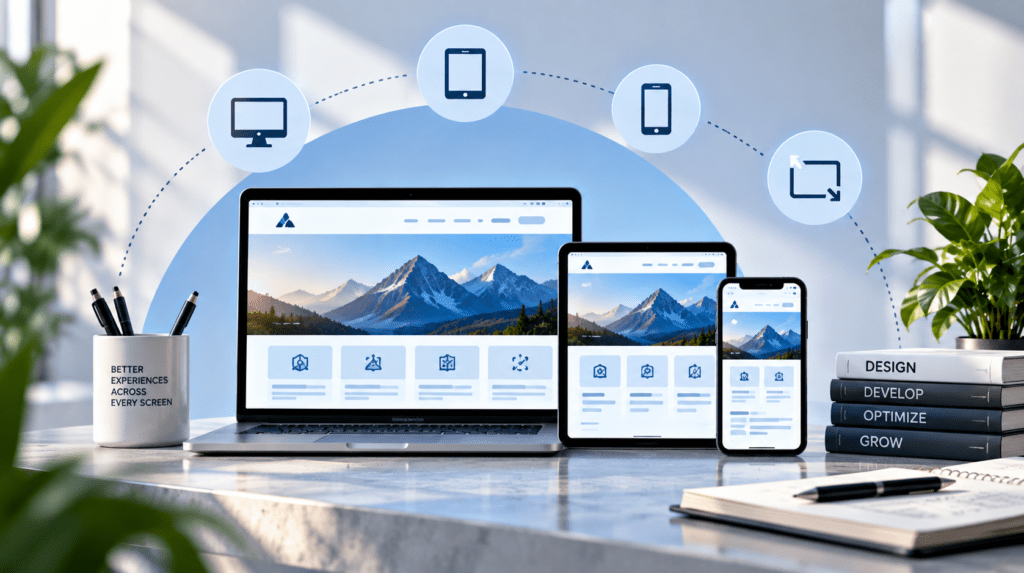
Responsive vs Adaptive: 7 Factors to Consider
Choose between responsive and adaptive design based on more than visual preference.
1. Your Users and Devices
Start with actual user behaviour.
Check your analytics to understand:
- Which devices visitors use
- Screen sizes
- Operating systems
- Mobile vs desktop traffic
- Conversion rates by device
- Engagement by device
- Problems occurring on specific screens
A website used primarily by mobile customers may require very different UX priorities from an enterprise application used mainly on large desktop displays.
UXPin similarly recommends starting the decision with users, their devices, and project requirements rather than choosing a method simply because it is popular.
2. Content Requirements
Ask whether users need essentially the same information on every device.
For a business website, blog, or content-heavy site, the answer is often yes.
In that case, a responsive layout lets the same content reorganise naturally across screen sizes.
Adaptive design becomes more interesting when mobile and desktop users genuinely need different workflows or content priorities.
For example, an enterprise application might need a simplified mobile workflow while providing a more advanced desktop dashboard.
3. Mobile and Desktop Optimisation
Responsive design and mobile/desktop optimisation isn’t simply about shrinking a desktop website to fit a phone.
A good mobile experience should consider:
- Content hierarchy
- Navigation
- Touch interaction
- Typography
- Image sizes
- Forms
- Buttons
- Page speed
- Accessibility
- Conversion paths
Google’s mobile-first indexing means Google uses the mobile version of a site’s content for indexing and ranking. Google also recommends responsive design as one mobile-friendly configuration and specifically recommends it because it is generally easier to implement and maintain.
That makes mobile experience an important part of both UX and SEO planning.
4. Performance
Neither responsive nor adaptive design automatically guarantees better performance.
Implementation matters.
A poorly built responsive website can deliver unnecessarily large images, excessive JavaScript, or heavy third-party resources to mobile users.
Likewise, an adaptive website can become inefficient if it manages multiple layouts and assets poorly.
Performance should therefore be evaluated through:
- Core Web Vitals
- Image optimization
- JavaScript execution
- CSS efficiency
- Font loading
- Server response time
- Caching
- Content delivery
- Real-device testing
The goal should be to deliver the resources and experience users need, rather than assuming the design methodology itself determines performance.
5. Development and Maintenance
A website isn’t finished when it launches.
It needs:
- Updates
- Security fixes
- New content
- New features
- Browser testing
- Device testing
- Performance optimization
- UX improvements
This is where architecture becomes important.
A responsive implementation can often be easier to maintain because the same underlying experience adapts across screen sizes.
Adaptive implementations can require more testing because changes may need to be considered across multiple layouts.
However, that additional complexity can be justified when device-specific experiences provide meaningful business or usability benefits.
6. SEO and Search Visibility
Responsive and adaptive design can both support search visibility, but the technical implementation matters.
Google’s mobile-first indexing documentation recommends responsive design and explains that responsive websites can serve the same HTML through the same URL while changing presentation according to screen size.
For mobile-first SEO, make sure that the mobile experience preserves the following:
- Content
- Headings
- Internal links
- Images
- Structured data
- Metadata
- Crawlable resources
Google specifically advises that important mobile and desktop content should remain equivalent because Google primarily uses the mobile version for indexing.
Therefore, don’t hide essential information from mobile users to make a page look cleaner.
7. Long-Term Scalability
Your design decision should also consider what happens two or three years after launch.
Ask:
- Will the website add new sections?
- Will the business introduce new products?
- Will users access new device types?
- Will the application become more complex?
- Will the development team change?
- Will integrations increase?
- Will performance requirements become stricter?
Responsive systems can provide a flexible foundation for unpredictable viewport sizes.
Adaptive systems can provide stronger control when specific experiences matter most.
The right decision depends on the product’s future architecture, not just today’s screen sizes.

Advantages and Limitations of Responsive Design
Advantages
Flexible across devices: The layout can respond to different viewport sizes.
Simpler maintenance: A single responsive system can reduce the need to maintain several completely separate layouts.
Future flexibility: Well-designed fluid systems can handle screen sizes not explicitly anticipated.
Strong fit for modern websites: Responsive design works well for business websites, ecommerce stores, blogs, SaaS products, and many web applications.
SEO-friendly architecture: Google recommends responsive web design as a mobile-friendly configuration.
Limitations
Responsive design still requires careful planning.
Poorly implemented responsive layouts can produce:
- Crowded mobile screens
- Incorrect content hierarchy
- Oversized images
- Difficult navigation
- Poor interaction patterns
- Performance problems
Responsive does not mean automatically optimised.
It means the system can adapt. The quality of that adaptation depends on the design and engineering behind it.
Advantages and Limitations of Adaptive Design
Advantages
Adaptive design can provide:
- Highly targeted layouts
- Device-specific interaction patterns
- Greater control over visual presentation
- Opportunities to optimise experiences for known device categories
- Different content priorities where the user context genuinely differs
This can be valuable for complex applications, legacy modernisation projects, or experiences where mobile and desktop workflows differ substantially.
Limitations
The major challenge is complexity.
Multiple layouts can mean:
- More design work
- More development effort
- More testing
- More maintenance
- More opportunities for inconsistencies
Gaps can also appear between predefined breakpoints. If a new device or viewport doesn’t fit the assumptions used when the layouts were created, you may need additional work.
When Should You Choose Responsive Design?
Responsive design is generally a strong starting point when:
- You’re building a new website
- Your audience uses many different devices
- Your content is largely consistent across devices
- Long-term maintenance matters
- You want one flexible layout system
- You need to accommodate future screen sizes
- Your business wants a scalable web foundation
Google recommends responsive web design as an easy-to-implement, maintainable option for mobile-friendly websites.
When Should You Consider Adaptive Design?
Adaptive design may be appropriate when:
- Mobile and desktop workflows are fundamentally different
- Specific device experiences are strategically important
- You need highly controlled layouts
- A legacy system is being modernised
- Performance requirements justify device-specific treatment
- Your analytics show significantly different user behaviour across devices
The important word is “justify.”
Don’t introduce multiple layouts simply because you can. Introduce them when the additional complexity solves a real user or business problem.
Can Responsive and Adaptive Design Work Together?
Yes.
A project does not necessarily have to follow a pure responsive or pure adaptive methodology.
A hybrid approach can use responsive behaviour as the foundation while introducing more targeted behaviour at specific breakpoints.
For example, a SaaS application could:
- Use a responsive grid across screen sizes
- Change navigation behaviour on mobile
- Replace a complex desktop interaction with a mobile-specific workflow
- Serve appropriately sized images
- Simplify certain components on smaller screens
This allows teams to preserve flexibility while still designing around important user contexts.
Common Mistakes to Avoid
1. Choosing Based on Popularity
The most popular approach isn’t automatically the correct approach for your project.
2. Designing Only for Desktop
Consider mobile during the initial UX process, not after development is finished.
3. Ignoring Real User Data
Analytics can reveal which devices and screen sizes actually matter to your customers.
4. Treating Mobile as a Smaller Desktop
Mobile users have different interaction constraints. Navigation, forms, buttons, and content hierarchy need careful consideration.
5. Forgetting Performance
Responsive images, efficient code, caching, and real-device testing are essential.
6. Removing Important Mobile Content
Google’s mobile-first indexing means essential content should remain available on the mobile experience.
7. Ignoring Maintenance
The best-looking design today can become expensive if it is difficult to maintain tomorrow.
A Practical Framework for Choosing the Right Approach
Before choosing responsive vs adaptive design, work through these six questions:
1. CONTENT
Does the same core content need to be available everywhere?
2. USERS
How do different user groups behave across devices?
3. DEVICES
Do you need to support an unpredictable range of screen sizes?
4. UX
Do mobile and desktop users require fundamentally different workflows?
5. PERFORMANCE
Would device-specific optimisation provide meaningful benefits?
6. MAINTENANCE
Can your team realistically maintain multiple layouts over time?
If the answers point toward flexibility, consistency, and scalability, responsive design is often the natural foundation.
If the answers point toward substantially different device experiences, adaptive techniques may deserve consideration.
How TBS Solution Approaches Responsive and Adaptive Experiences
A successful digital experience should start with business and user requirements—not with a technology trend.
At TBS Solution, this aligns with a broader approach to Digital Transformation, Customer Experience Engineering, Quality Engineering & Performance, and scalable technology solutions.
The practical process can be viewed as:
Discover → Strategize → Execute → Optimize → Scale
That means evaluating the existing website or application, understanding user behaviour, identifying technical limitations, defining the desired experience, implementing the appropriate architecture, and continuously testing and optimising the result.
Whether a project ultimately uses responsive, adaptive, or hybrid techniques, the objective remains the same:
Create a fast, accessible, usable, maintainable, and scalable digital experience that supports the business.
FAQs About Responsive vs Adaptive Design
Is responsive or adaptive design better?
Neither approach is universally better. Responsive design is often a practical foundation for new websites because it adapts to a broad range of screen sizes and is recommended by Google as a mobile-friendly configuration. Adaptive design can be useful when specific device contexts require substantially different experiences.
What is the difference between responsive and adaptive design?
Responsive design continuously adjusts a flexible layout according to available screen space. Adaptive design uses predefined layouts or experiences for selected screen sizes or device contexts.
Is responsive design better for SEO?
Responsive design has SEO advantages because it uses one URL and keeps content consistent across devices. Google recommends responsive web design for mobile-friendly sites. However, responsive design alone does not guarantee rankings; technical SEO, content quality, performance, relevance, and many other factors also matter.
Is adaptive design still relevant?
Yes. Adaptive design remains useful when businesses need highly targeted device experiences or when specific technical and performance requirements justify multiple layouts.
Can responsive and adaptive design be combined?
Yes. A website can use a responsive foundation while applying more targeted adaptive behaviour to selected components, content, or workflows.
How do I know whether my website is responsive or adaptive?
Resize the browser gradually. A responsive layout normally changes continuously as available space changes, while an adaptive implementation may switch between predefined configurations at specific breakpoints. Inspecting the implementation can provide a more reliable technical answer.
Final Takeaway
The responsive vs adaptive design decision should not be reduced to a simple debate about which technology is better.
Responsive design provides a flexible foundation that can work across a wide range of screen sizes and is Google’s recommended mobile-friendly configuration. Adaptive design provides greater control when specific device experiences justify additional layouts and complexity.
The strongest approach starts with the user, content, business requirements, performance goals, technical architecture, and maintenance capacity.
For most new websites, responsive design is a sensible starting point. But when mobile and desktop users genuinely require different experiences, adaptive or hybrid techniques can solve problems that a purely fluid layout may not address as effectively.
Ultimately, the right choice delivers the best combination of UX, performance, accessibility, SEO readiness, maintainability, and long-term scalability.