TBS Solution – The Hub of Solutions

Google Algorithm Updates: What Website Owners Need to Do in 2026

Google Algorithm Updates: What Website Owners Need to Do in 2026

Google algorithm updates can create anxiety for website owners.

When rankings drop, or organic traffic declines, and your SEO tool shows unusual changes, it’s common for people to quickly change titles, rewrite pages, delete content, buy backlinks, or even redesign their websites.

But jumping into these changes right away is often not the best first step.

A Google algorithm update does not always mean your website is broken, penalised, or permanently harmed. Search performance can shift for many reasons, such as changes in search demand, competitors improving their content, technical issues, indexing problems, changes in search intent, or updates to Google’s ranking systems.

The best way to respond is straightforward:
Don’t panic or rush to change everything. First, figure out what actually changed before deciding what to fix.
This guide will help you understand what Google algorithm updates mean for website owners in 2026. You’ll learn how to tell if an update really affected your site, what to check in Google Search Console, and how to build an SEO strategy that can handle future changes.

Quick Answer: What Should You Do After a Google Algorithm Update?

After a Google algorithm update, start by checking whether your traffic or rankings changed around the time of the update. Then look at your website data to see which pages, queries, devices, countries, or search types were affected.

Next, check for technical issues, indexing problems, manual actions, or spam-policy concerns before making any big SEO changes.

If the drop is big and lasts for a while, review whether the affected pages still offer original, useful, reliable, and satisfying content compared to what’s currently ranking for those searches.

Here’s the process you should follow:

Confirm → Analyze → Diagnose → Prioritize → Improve → Monitor

What Is a Google Algorithm Update?

Google Search uses automated ranking systems to understand web pages and determine which results are most relevant and useful for a particular search.

These systems are continuously evolving.

Some changes are broad and widely visible. Others are smaller adjustments that may affect only certain types of searches or websites.

Website owners commonly hear about several types of Google updates, including:

  • Core updates
  • Spam updates
  • Ranking system improvements
  • Search feature changes
  • Search experience changes
However, one important distinction must be understood:
A Google update is not automatically a penalty against your website.

A core update, for example, can change how Google’s systems assess and rank available content. Your page may lose visibility even without a technical error or manual action against your site.

That is why guessing the cause of a traffic decline can lead to poor decisions.

Data: Always look at the data before reacting. Step 1: Confirm That a Google Update Actually Affected Your Website

Before changing your SEO strategy, ask a basic question:

Did the ranking or traffic decline actually begin around the same time as the update?

This might seem obvious, but many businesses mistakenly blame an algorithm update for problems that actually started earlier.

The decline could instead be caused by:

  • A technical SEO problem
  • Indexing changes
  • Incorrect robots settings
  • Server errors
  • Broken internal links
  • Lost demand for a topic
  • Competitors improving their pages
  • Changes in search intent
  • Tracking problems
  • Changes in SERP features

Start by reviewing your traffic timeline to pinpoint when performance changed.

Then compare that period with confirmed Google Search changes.

Remember, just because two things happen at the same time does not mean one caused the other.

A useful question is:
Did my website change at the same time as Google, or did my performance problem begin independently?
Taking this first step can save you weeks of unnecessary SEO work.

Step 2: Use Google Search Console to Find What Actually Changed

Google Search Console should be one of your main sources of information after a big ranking change.

Don’t just look at total clicks.

Dig deeper into the data.

Compare Before and After Periods

Start by comparing a period before the performance decline with a comparable period after it.

Look for changes in:

  • Clicks
  • Impressions
  • Average position
  • Click-through rate

A drop in clicks alone doesn’t always mean your rankings went down.

For example, rankings may remain stable. That’s why looking at impressions and average position gives you important context. That’s why looking at impressions and average position gives you important context.

Try to spot patterns. Lost Visibility

Look for patterns.

Did the decline affect:

  • Your entire website?
  • One category?
  • A group of blog posts?
  • If just a few pages lost traffic, the issue might be with those pages, not your whole site. Page-specific rather than sitewide.

Analyse Lost Queries

Next, check which search queries changed.

Ask:

  • Did rankings decline for the main keyword?
  • Did informational searches decline?
  • Did commercial searches decline?
  • Did the search intent behind the query change?
  • Sometimes, the issue isn’t that your page got worse. Instead, Google may now think a different type of content better answers the search query. believes it better satisfies the query.

Check Countries and Devices

Separate performance by:

  • Country
  • Desktop
  • Mobile
A sitewide algorithm issue and a mobile technical problem can look similar. Breaking down your data helps you identify the real scope and source of the problem. Ide


Google Algorithm Updates: What Website Owners Need to Do in 2026

The DROP Framework:

How to Diagnose a Ranking Decline

Instead of making random changes, use the DROP Framework.

D — Determine the Scope

First, determine how large the problem is.

Is the decline:

  • Sitewide?

  • Category-wide?

  • Page-specific?

  • Query-specific?

  • Device-specific?

  • Country-specific?
The size and area of the decline often give clues about the cause.

A single page dropping requires a different investigation than an entire website losing visibility.

R — Review the Timeline

Check exactly when the decline started.

Compare:

  • The date rankings changed

  • Website changes

  • Technical changes

  • Content changes

  • Known Google updates
This prevents you from blaming Google for an issue caused by a recent website migration, plugin change, indexing error, or content update.

O — Observe What Changed

Look beyond the numbers.

Analyze:

  • Which pages lost rankings

  • Which queries disappeared

  • Which competitors gained visibility

  • What currently ranks

  • Whether search intent changed

  • Whether SERP features changed
The goal is not simply to say:

“Traffic went down.”

The goal is to understand:

“What specifically changed, where did it change, and what pattern does the data reveal?”

P — Prioritise the Real Problem

After the analysis, prioritise the most likely issue.

Your decline may be related to:

  • Content quality

  • Search intent mismatch

  • Technical SEO

  • Indexing

  • Spam-policy problems

  • Competition

  • Changing user behaviour
Don’t try to fix every possible SEO issue all at once.

Focus first on the problems your data actually supports. If a Core Update Affected Your Rankings

Core updates are broad changes to Google’s ranking systems.
The best response is not to look for a quick trick or shortcut. Focus on the pages that experienced the biggest sustained losses.

Ask:

Is the Content Still Useful?

Does the page genuinely help the person who searched for the topic?

Or does it mainly exist to attract search traffic?

Does It Add Something Original?

A strong page should offer more than just a reworded version of information found elsewhere.

Here you can add:

  • Original analysis

  • Practical examples


  • First-hand experience

  • Unique insights

  • Real processes

  • Expert explanations

Does It Fully Satisfy the Search Intent?

Sometimes a page contains accurate information but still fails to satisfy the reason behind the search.

For example, someone searching for a practical solution may not want a long theoretical explanation.

Review the current search results.

Ask:
What problem are the top-ranking pages solving for the user that my page does not solve as effectively?

Is the Content Easy to Trust?

Trust matters.

Building trust is important.

  • Who created the content?

  • Why are they qualified to discuss the topic?

  • Where important information comes from

  • When the content was last meaningfully reviewed
Clear authorship: Showing who wrote the content and their real expertise can also help you meet E-E-A-T standards. If a Spam Update Affected Your Website
Spam updates require a different approach.

Instead of rewriting every page immediately, review your website for practices that could conflict with Google’s spam policies.

Areas worth reviewing include:

  • Low-value scaled content

  • Manipulative link practices

  • Copied or lightly modified content

  • Automatically generated pages with little original value

  • Site reputation abuse

  • Other attempts to manipulate. The answer is not to cover up the problem. Instead, remove or fix anything that doesn’t help users or exists only to boost search rankings.
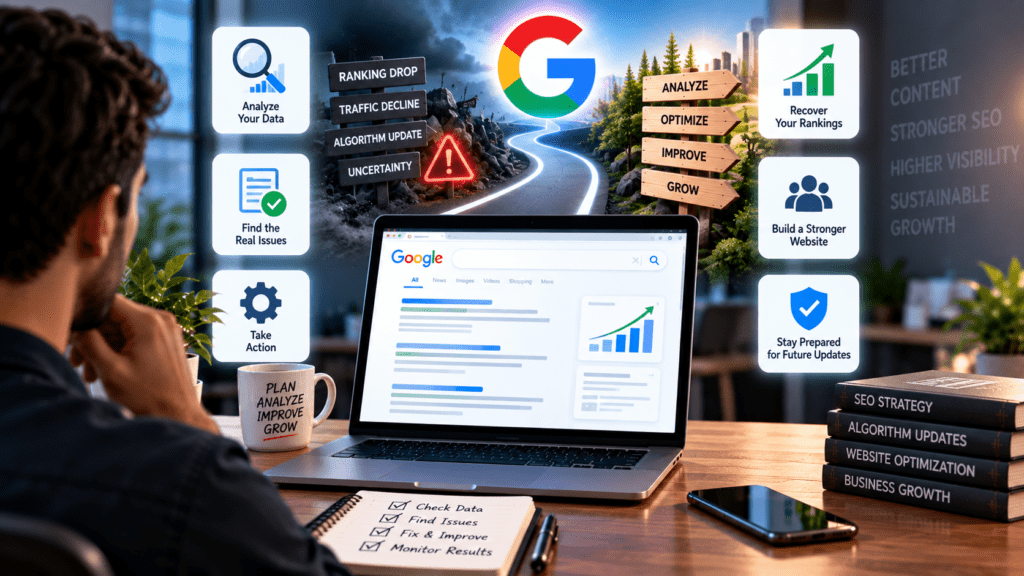
Try not to overreact.

For example, do not delete hundreds of pages just because your traffic went down.

First, check if those pages are truly low-value, repetitive, outdated, or unrelated to your site’s main purpose.
Google Algorithm Updates: What Website Owners Need to Do in 2026

Technical SEO Checks You Should Not Ignore

Even during a Google update, your website may have unrelated technical problems.

Make sure you cover the basics.

Indexing

Are your important pages indexed?

Do the right pages appear in Google’s index?

Robots and Meta Directives

Check whether important pages are accidentally blocked from crawling or indexing.

Canonicalization

Confirm that Google is being directed toward the preferred version of important pages.

Internal Links

Ensure important content is easy to find through clear internal links.

Server Errors

Review whether important pages return errors or have availability issues. Check that users can easily access and use important content on their phones. ively on mobile devices.

Structured Information

Where appropriate, use valid structured data to help search engines understand relevant page information.
Technical SEO will not solve everything, but ignoring technical problems can keep even great content from performing well.to perform consistently.

What You Should Not Do After a Google Ranking Drop. When rankings drop, it’s easy to feel pressure to act fast.

Pressure to act quickly.

Avoid these common mistakes.

Do Not Rewrite Your Entire Website Overnight

Making big changes all at once makes it hard to know what actually helped or caused new issues.

Do Not Delete Pages Without Evidence

Check a page’s performance, usefulness, uniqueness, and business value before you remove it.

Do Not Buy Random Backlinks

A lack of backlinks does not automatically cause a traffic decline.
Low-quality link-building can cause more problems instead of fixing the original issue.

Do Not Keyword Stuff Existing Content

Repeating the same keyword over and over does not make your page more relevant.

Focus on fully answering the topic.

Do Not Chase Every SEO Rumour

Industry discussions and algorithm tracking tools can provide useful insights. However, your own website data should always drive your decisions. Decisions.

What Historical Google Updates Still Teach Us

Terms such as Google BERT update and Google Penguin are still frequently searched.

However, website owners should avoid optimising for old updates. It’s more helpful to understand the ideas behind these updates.nd them.

Google’s ranking systems continue to develop around areas such as:

  • Understanding language and meaning

  • Identifying useful and relevant content

  • Detecting spam

  • Recognizing original information

  • Evaluating page-level relevance
The practical lesson is:
Don’t base your SEO strategy on just surviving the next update. Instead, focus on helping your users better than your competitors do.
This approach will last longer than chasing every new industry headline.

How to Monitor Future Google Algorithm Updates. A good monitoring process combines official information with your own website data. ta.

Monitor Official Google SourceKeep up with official Google Search announcements and status updates when you notice big changes.

Monitor Your Website

Track:

  • Organic clicks

  • Impressions

  • Rankings

  • Indexed pages

  • Crawl and technical issues

  • Important landing pages
Use Algorithm Tracking Tools Carefully. Third-party algorithm tracking tools can help you spot bigger changes in search results.

But these tools cannot tell you exactly what is happening with your own website.

A chart showing lots of changes does not mean Google caused your specific traffic drop. Always compare what you see in the industry with your own website data. ta.

Build an SEO Strategy That Is More Resilient in 2026

The best long-term strategy isn’t to react to every Google update.
Instead, focus on building a website that always aims for:n:

Helpful Content

Create content that genuinely solves audience problems.

Original Value

Share analysis, experience, examples, and insights that are hard to find in generic summaries.s.

Technical Health

Keep your website easy to crawl, index, and reliable for users.

Clear Topical Focus

Cover topics that matter to your business and your audience in a meaningful way.

Strong User Experience

Make sure information is easy to find, understand, and use. ement

Monitor key performance changes before they become bigger problems. ness

Modern search engines are using AI more and more to understand and show information. Don’t create separate content purely for AI search.

Instead, focus on creating clear, useful, and original information that answers real questions, is well-structured, and offers more value than generic content. Supports traditional SEO while also making your content easier for modern search systems to interpret.

Google Algorithm Update Response Checklist

Before making major SEO changes, check:

☐ Did the decline actually align with a confirmed update?

☐ Is the drop sitewide or limited to specific pages?

☐ Which queries lost visibility?

☐ Did rankings decline or only clicks?

☐ Did search demand change?

☐ Did specific countries or devices decline?

☐ Are important pages still indexed?

☐ Are there technical or server problems?

☐ Did search intent change?

☐ Did competitors improve?

☐ Is the affected content still original and useful?

☐ Are there any spam-policy concerns?

☐ Have you prioritised the largest sustained problems first?

Final Thoughts

Google will keep updating its algorithms.

No website owner can control when Google changes its ranking systems or how search re. But you can control how you respond. A drop in rankings should not make you panic. Instead, it should prompt you to investigate. investigation.

The strongest response is:

Confirm the change.
↓
Analyse the data.
↓
Diagnose the cause.
↓
Prioritise the real problem.
↓
Improve what genuinely needs improvement.
↓
Monitor.

Websites that build lasting search visibility aren’t the ones chasing every new algorithm rumour. They consistently create helpful, original, trustworthy content, keep their technical foundations strong, and use data to make smart decisions. That’s the kind of SEO strategy worth building in 2026. 2026.

Frequently Asked Questions

What should I do after a Google algorithm update?

First, confirm whether the update actually affected your website. Then analyse Google Search Console data, identify affected pages and queries, check technical issues, and fix real weaknesses rather than making random changes.

How do I know if a Google update affected my website?

Compare the timing of your traffic or ranking decline with confirmed Google Search changes and analyse whether the affected pages show a clear pattern.

Should I change my SEO strategy after every Google update?

No. Avoid reacting to every fluctuation. Investigate significant and sustained changes before deciding whether your strategy needs adjustment.

How long does it take to recover after a Google core update?

Recovery timelines vary. Improvements may take time to be reflected in search performance, and there is no guaranteed recovery period.

What is the difference between a core update and a spam update?

Core updates involve broad improvements to Google’s ranking systems, while spam updates focus on improving Google’s ability to detect content and practices that violate spam policies.

What is Google BERT?

BERT is part of Google’s language-understanding technology that helps Google better understand the meaning and context of words in searches and content.

Is Google Penguin still relevant?

The original Penguin system was designed to combat link spam and was incorporated into Google’s broader core ranking systems.

What tools can help monitor Google algorithm updates?

Google Search Console should be central to monitoring your own website. Official Google Search information and third-party volatility tools can provide additional context.

Leave a Comment

Your email address will not be published. Required fields are marked *